
Sidebar
hpl3:tools:maineditors:level_editor:level_settings_window
Table of Contents
Level Settings window
This window holds settings for the level, such as global fog and skybox.
Skybox settings
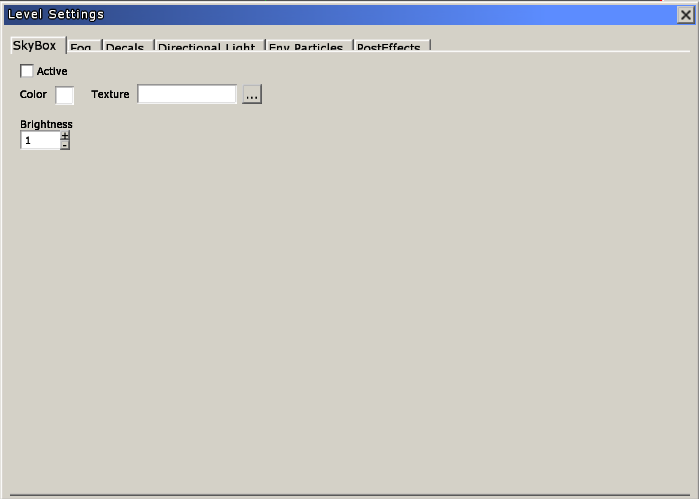
- Active: will enable or disable the skybox.
- Color: if no texture is set, the skybox will use a flat color defined here.
- Texture: loads a cubemap texture to be used as skybox.
Global Fog settings
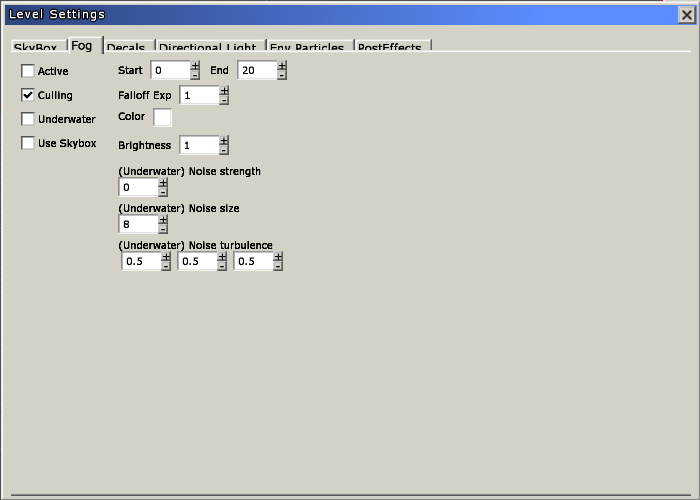
- Active: enables or disables the global fog.
- Culling: sets if the fog should cull objects that are behind the 'End' distance.
- Start: sets the distance to the camera where the color fading should start.
- End: sets the distance to the camera where the color fading should be fully done.
- Falloff Exp: sets the attenuation factor that will be used for the fading.
- Color: color for the fog.
Decals
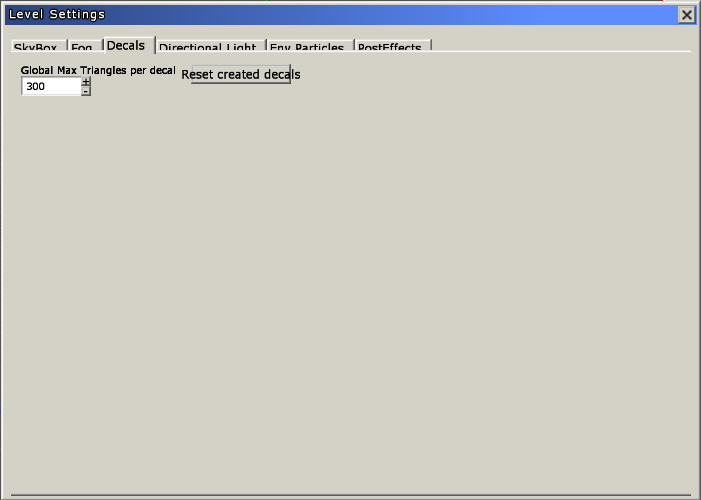
- Global Max Triangles Per Decal: this here will set how many triangles decal meshes will have unless individually tweaked.
- Reset Created Decals: this will reset all created decals to use the above value.
Directional light
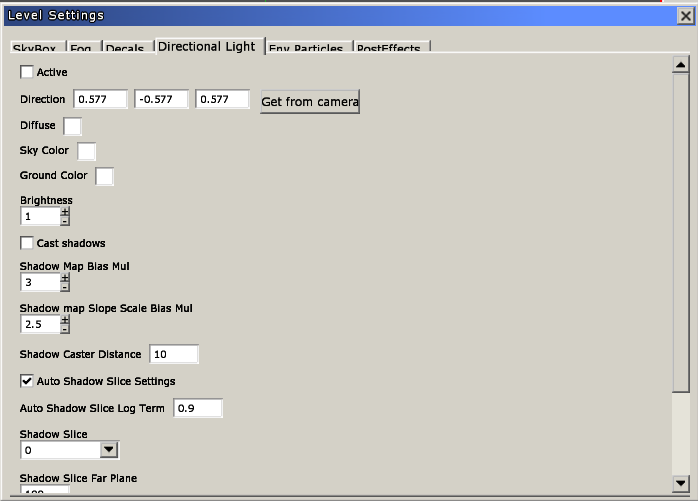
- Active: will toggle the directional light for the level.
- Direction: 3D vector indicating where the light will point at.
- Get from camera: copies the direction from the viewport camera.
- Diffuse: the diffuse color for the light.
- Sky color: objects will reflect shades of this color on their upper side.
- Ground color: objects will reflect shades of this color on their lower side.
- Brightness: brightness for the light.
- Cast shadows: if the light should cast shadows.
- Shadow map bias mul: Moves the shadow away from the light to remove shadow banding and artifacts.
- Shadow map slope scale bias mul: Moves triangles even further away from the light if the angle to the light is steep.
- Shadow caster distance: sets how far our light source will be when it comes to casting shadows. Increase to remove artifacts caused by shadows. A too high of a number will make shadows start to disappear.
Env Particles
The inputs in this tab control the parameters for the environment particles in the level. These parameters are explained in depth here:
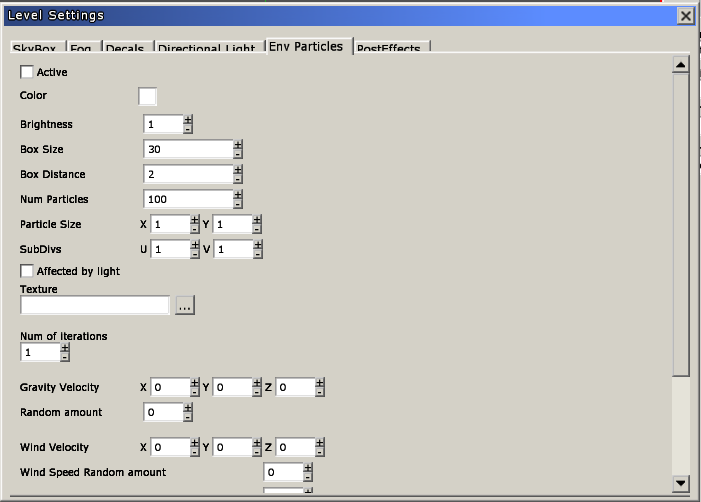
- Active: will toggle the environmental particles.
- Color: the particles will be tinted with this.
- Brightness: how bright the above color will show.
- Box Size:
- Box Distance:
- Num Particles: brightness for the light.
- Particle Size: if the light should cast shadows.
- SubDivs:
- Affected by light:
- Texture:
- Num of iterations:
- Gravity Velocity:
- Random amount:
- Wind Velocity:
- Wind Speed Random amount:
- Rotate Velocity:
- Random amount:
- Fade In:
- Fade Out:
PostEffects
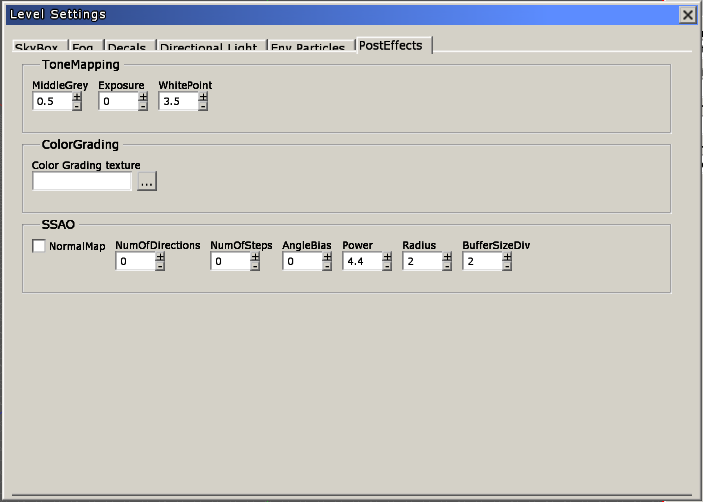
ToneMapping
- MiddleGrey: A real value that sets what should be considered the middle grey value.
- Exposure: The total light that is allowed through the camera, increasing this value makes the image brighter. In the range of -10 to +10.
- WhitePoint: A real value that sets which value that should be considered the brightest.
ColorGrading
- Color Grading texture: 3D dds texture file defining the color grading map.
hpl3/tools/maineditors/level_editor/level_settings_window.1353675184.txt.gz · Last modified: 2012/11/23 12:53 by luis


